Amazon Case Study
One AI assistant, scaled to both sides of the same problem
One of the first GenAI products adopted inside Amazon benefits. I served the employee and the admin from a single assistant, cutting resolution from days to minutes on both sides.
Overview
When someone gets married or has a baby, they have a limited window to change their benefits. That is a Qualified Life Event, and getting it right was slow and confusing for everyone. I led the design of an AI assistant that answered the same question for two very different users: the employee asking what their life event allows, and the benefits admin resolving the case. One assistant, one set of rules, composed differently for each side. It became one of the first GenAI products adopted inside Amazon benefits, cut resolution from days to minutes on both sides, and turned support-call volume into real money saved.
Goals:
- Cut resolution time for life-event benefit changes from days to minutes.
- Serve employees and admins from one assistant, not two products.
- Take real cost out of support volume, at 500K+ contacts a year.
The Challenge
What was happening
A life event starts a countdown. Get married, and you have a set window to add a spouse, drop a plan, or change coverage. Miss it, or pick something the rules don't allow, and you are stuck until the next enrollment. The trouble was that nobody, employee or admin, could see the rules clearly.
"Why can't I change my dental plan after getting married?"
A real employee question. The rules existed, but they were buried where no one could reach them.The reason was structural: eligibility differed by employee class, and every class's rules lived in a 200-page spreadsheet only admins could open. Employees had no way to see what their life event allowed, so the interface stayed silent. Admins were worse off: to answer one question they pieced eligibility together across three to five disconnected tools and that spreadsheet, spending around 21 minutes per case and often 1 to 2 days to fully resolve one. Same question, different admin, different answer.
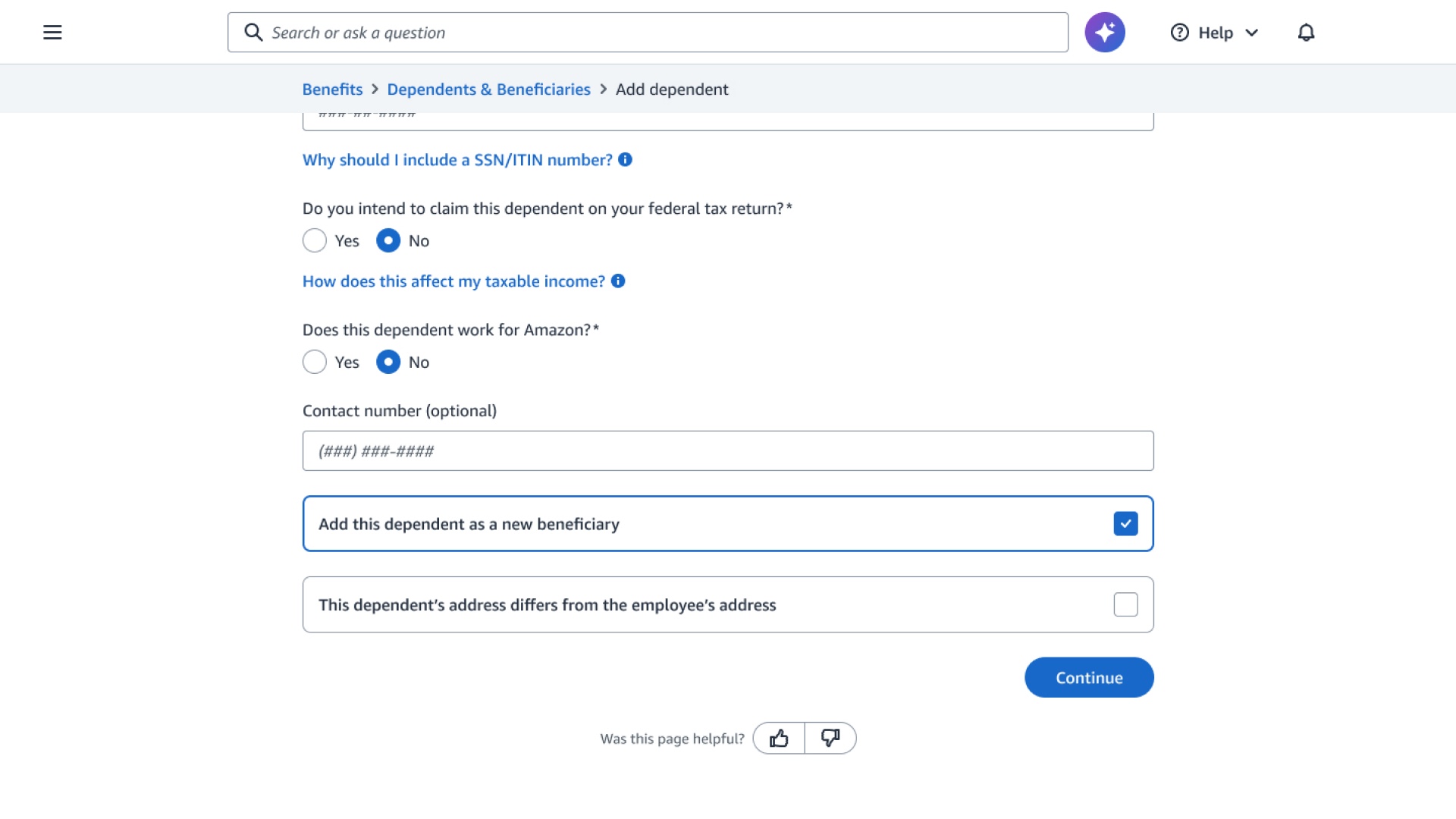
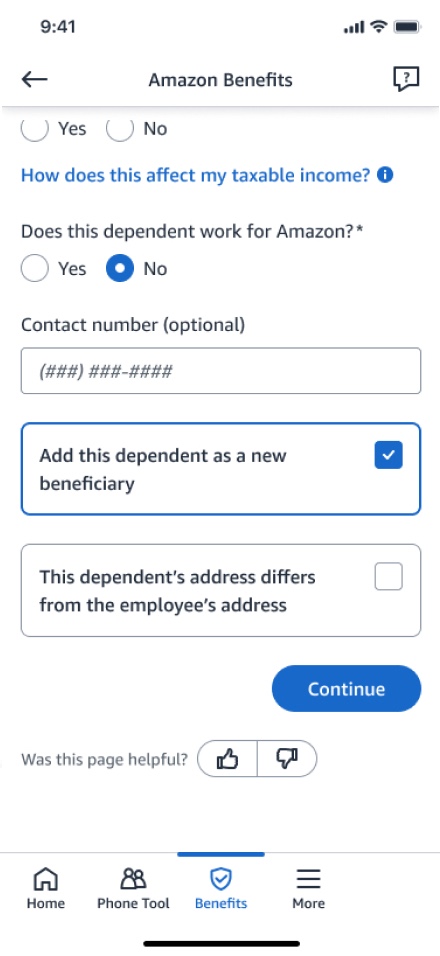
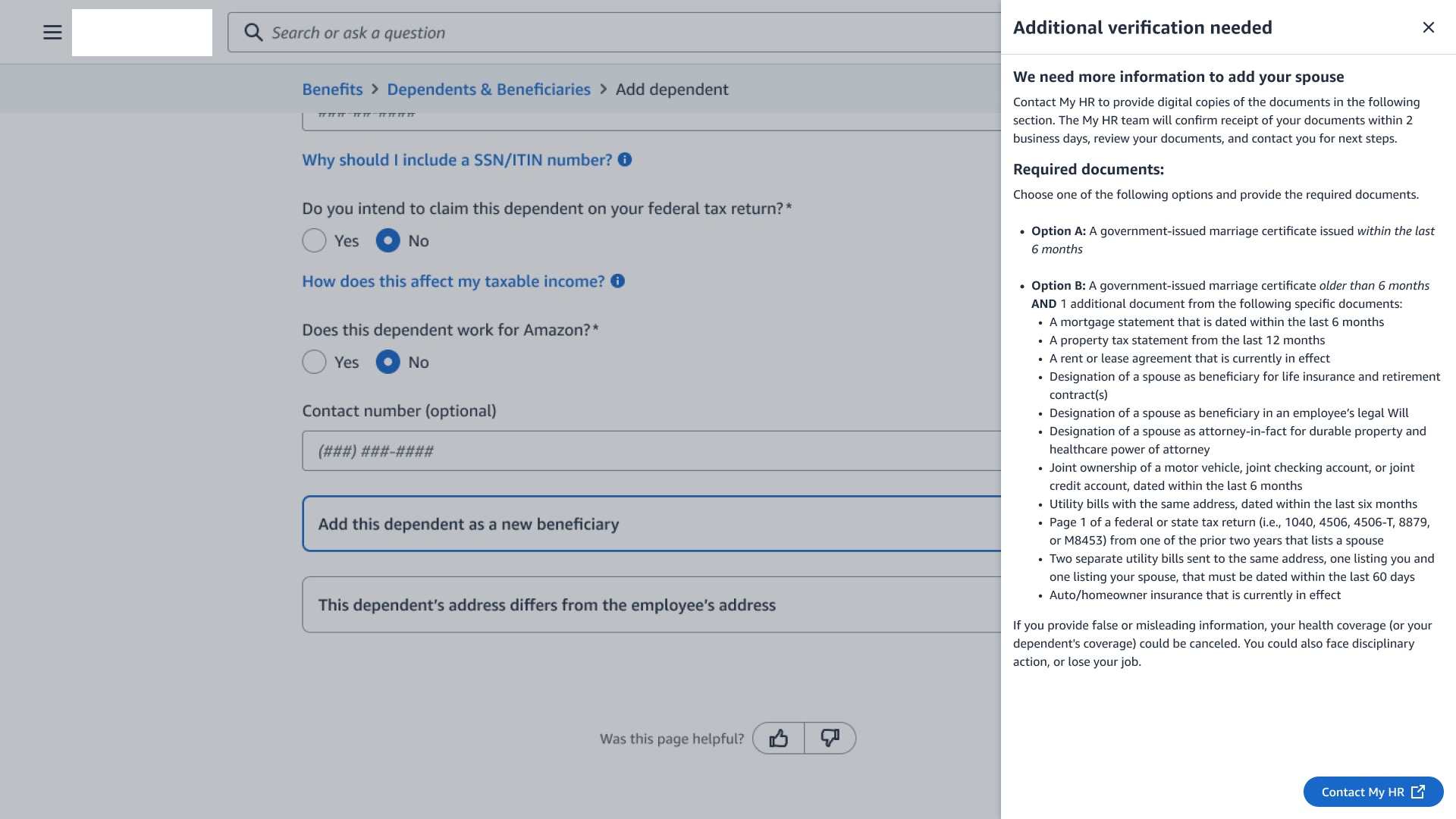
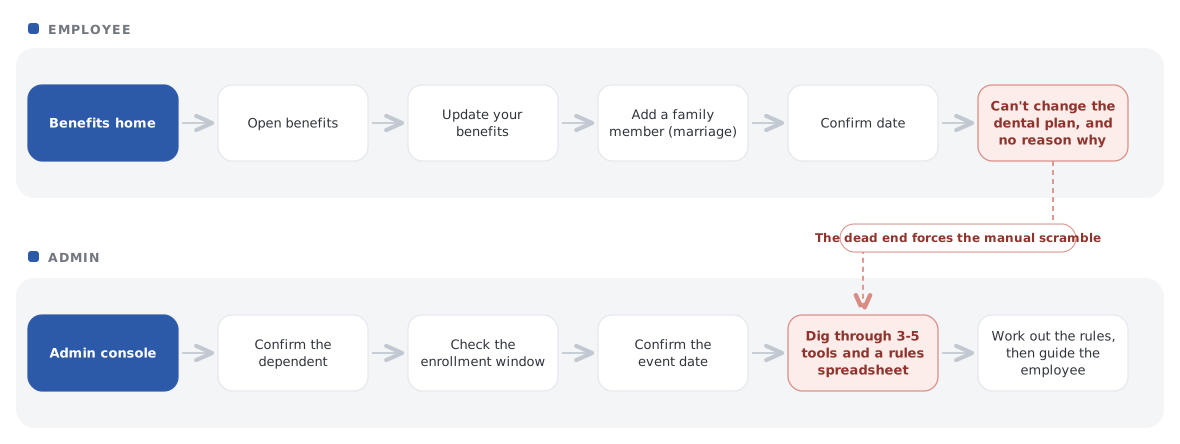
The before journey for a single marriage event: the employee hits a dead end with no explanation, while the admin reconstructs the rules by hand across a knowledge base, spreadsheets, and several disconnected tools.
Resolve life-event queries faster and more consistently, at the scale of 500K+ contacts a year, without adding headcount.
Know what my life event allows, what I have to do, and by when, without opening a support case.
Problem to solve
Life-event rules were fragmented and opaque. Employees couldn't self-serve, and admins reassembled the rules by hand across disconnected tools, so a single change took days and answers varied by whoever picked up the case.
an admin had to switch between to resolve one life-event case, plus that 200-page rules spreadsheet
Research
Life-event queries were 13.52% of all benefits support volume, so the size of the prize was clear. What wasn't clear was why it took so long. I ran contextual inquiry with 12 benefits admins, shadowed agents on live cases, analysed months of support tickets for the top recurring themes, and benchmarked how other AI assistants earn trust. Three findings shaped everything after.
To answer a single life-event question, an admin pieced eligibility together across separate systems and a 200-page rules spreadsheet.
Same question, different admin, different answer. The delay and the inconsistency were the problem, not the people.
volume was life events
on one case
to reach one answer
Five round trips for one question, and no single place held the answer. That is why it varied by whoever picked up the case.
Employees had no view into rules, deadlines, or case status. Admins had a view, but only by stitching five systems together.
People acted on an answer only when they could see where it came from. Source attribution wasn't a nicety, it was the unlock.
A fourth pattern mattered for the AI itself: admins ranged from first-week novices to seasoned experts, so one flow couldn't fit both. Novices needed guided steps; experts needed a fast path. That split became a core design principle.
Who I was designing for
I anchored the work in two people on opposite sides of the same problem, and treated the assistant itself as a third actor with its own job to do.
The employee
New parent, 29"I want to know right away if my new baby lets me change my plan, and what to do."
Needs a fast, confident answer without opening a support case.
The admin
Benefits specialist, 34"It would save so much time to see the full picture in one place instead of five."
Needs to resolve a case accurately, first week or fifth year.
The assistant
The AI, as an actor"Surface the right rule before it's asked for, and show where every answer came from."
Earns trust by being transparent, sourced, and honest about doubt.
How might we
How might we use AI to surface the right life-event rules and status so employees and admins resolve cases quickly, confidently, and with almost no support, when the logic varies by event, country, and plan?
of these contacts could be resolved through contextual self-service, a roughly $9.5M annual support opportunity
Design Strategy
Not a chatbot problem. A rule-visibility problem: both sides were asking the same question of the same rules from opposite ends. So I bet on one assistant that scaled to both rather than two products built twice.
Self-service that reads the life event, shows what's allowed, names the deadline.
The same answer inside a deterministic workflow, step by step or fast path.
The three calls I had to defend
Each had a cheaper alternative on the table. I argued for the slower one.
One assistant composed for two audiences
Shipping the employee side alone and faster.
Two products meant defining eligibility twice and guaranteeing it drifted. That was the original problem restated.
A deterministic resolution path where the AI suggests but never decides.
The more impressive conversational demo, and a simpler build.
Admins act on real coverage. An answer that varies run to run is unauditable, and the admins who trusted AI least were the ones adoption depended on.
Build the component library before the screens
Weeks of visible progress in a tight timeline.
Citation, confidence and handoff had to behave identically on both sides. Defined once, every later surface inherited them.
Six principles I designed against
From the research, and from benchmarking how other AI products earn trust. These held the work together better than any single mockup.
Give me the why
People trust a decision that explains itself.
Preview before you commit
Show what will happen before they act.
Categorise, don't overwhelm
Group the guidance instead of dumping all of it at once.
Suggest, don't surprise
The AI proposes. It never acts on its own.
Hold my context
Carry what they already told you.
Let me fix it fast
When the answer is known, go straight to it.
Solution
One service, three connected parts, built on a shared eligibility layer so a rule only had to be defined once. The assistant was the visible surface; the guided workflow and the rules engine did the quiet work underneath. Every answer carried a graduated confidence level, so people always knew how much to lean on it: a direct sourced answer when confident, caveats and a way to verify when unsure, and a graceful handoff to a human when it didn't know.
What changed, for both sides
The same life event, before and after. Nothing about the rules changed. What changed was whether anyone could see them.
Hits a dead end adding a spouse, with no explanation of what the marriage actually allows, and opens a support case.
Asks in plain language and gets a sourced answer, what can change and the deadline, in three taps. No case, no hold.
Reassembles eligibility by hand across three to five tools and a 200-page spreadsheet. ~21 minutes, and answers varied by who picked up.
Opens one console: current benefits, the life event, and a guided stepper. The same rules give the same answer, every time.
The employee side: self-service that explains
Pick the life event, ask in plain language, get a sourced answer with the deadline. Three taps, no support ticket.
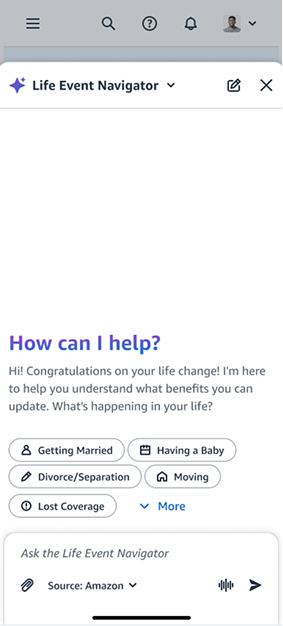
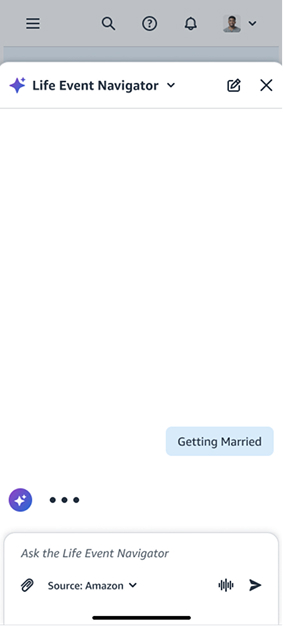
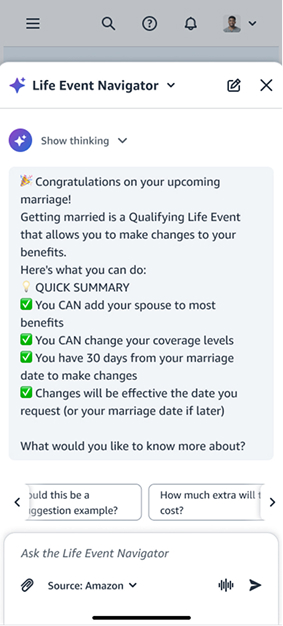
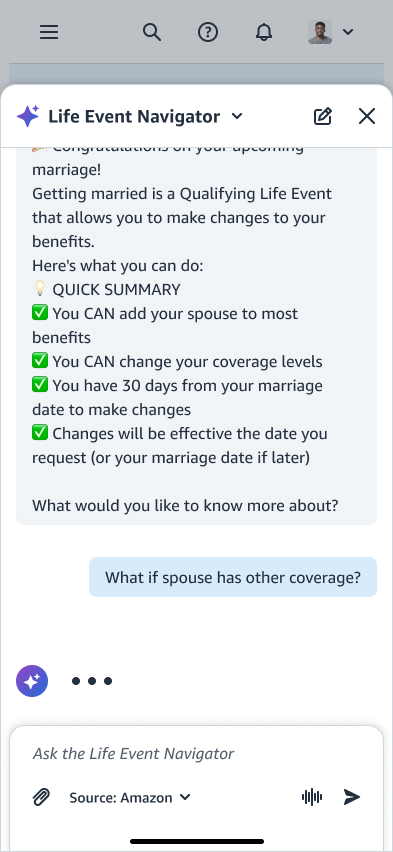
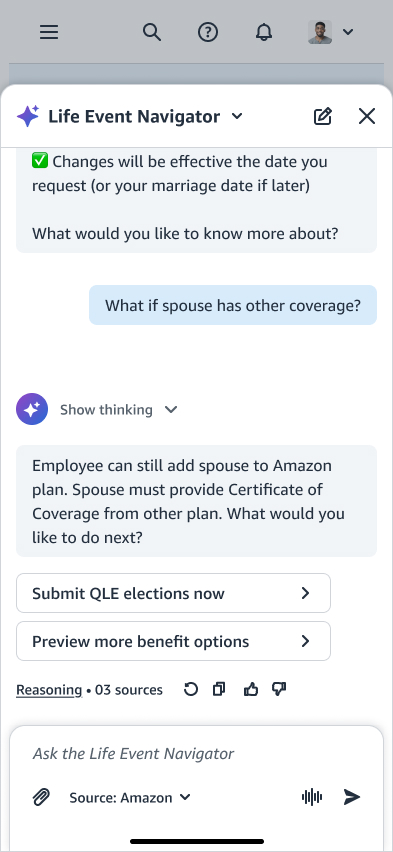
The finished employee flow: the Navigator reads the life event, explains exactly what marriage allows and by when, answers follow-ups with its reasoning and sources shown, then routes straight to submitting the change.
The admin side: from a stepper to a conversation
The admin side did not start as a chat. It started as a guided stepper, and how it became a conversation is the most honest part of this project.
A deterministic stepper
The team's original ask was a structured resolution card. One panel showed the open life-event window, then three collapsible steps walked the admin through current benefits, the window itself, and recent election activity, ending in a single resolve action. It was deliberately not AI. Admins act on behalf of real employees, so predictability was the point: the same case state always produced the same view, and any admin reached the same answer.
Midway through, leadership set a clear direction to adopt GenAI across benefits. Rather than bolt a chat window onto the stepper, we took the brief as a real question and brainstormed it properly: if an admin could just ask, what would the stepper still be for?
The same logic, as a conversation
The answer was to keep the stepper's determinism and change its surface. The assistant asks the one question that decides everything, the qualifying reason, then offers the finite set of valid answers as choices rather than a free-text guess. Those choices come straight from the same eligibility rules the stepper stepped through. The admin types in plain language; the system still resolves down a fixed path.
The design argument I had to make
A conversation can hide logic that a stepper makes obvious, and for a decision with legal and financial consequences that is a real risk. So the pivot only worked on one condition: the AI could ask and explain, but never decide. It proposes; the eligibility layer rules. Every turn resolves to the same bounded set of valid answers, and each one shows its source. That was the line I held, and it is why the admins who trusted AI least ended up adopting it.
the stepper's determinism, and dropped only its shape
The messy middle
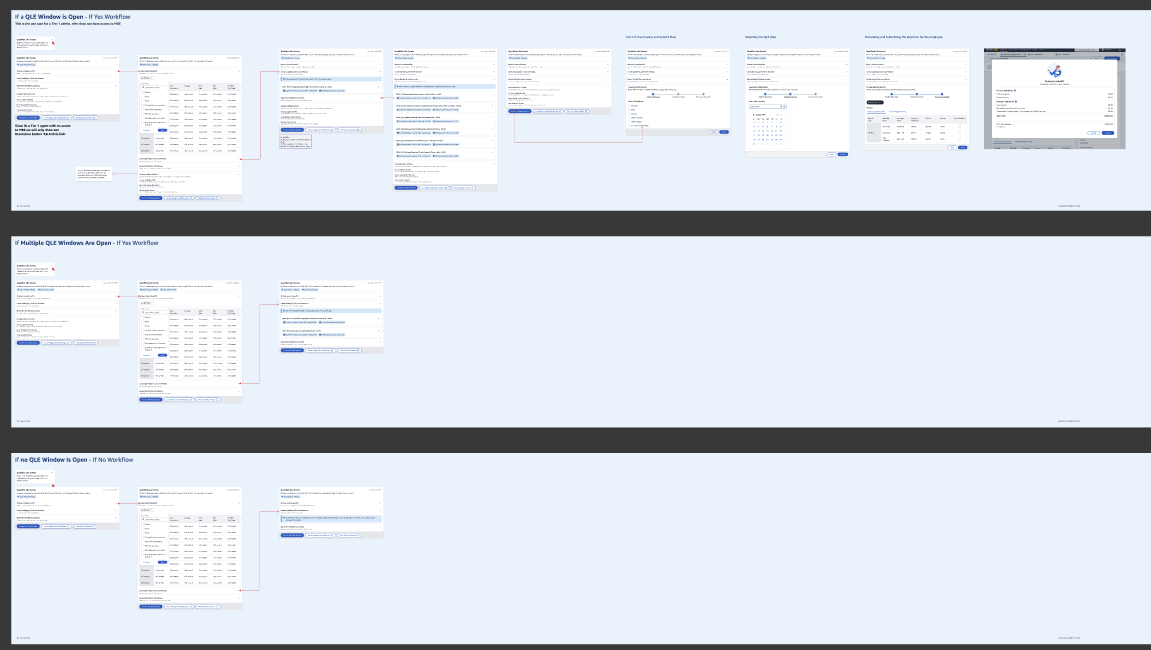
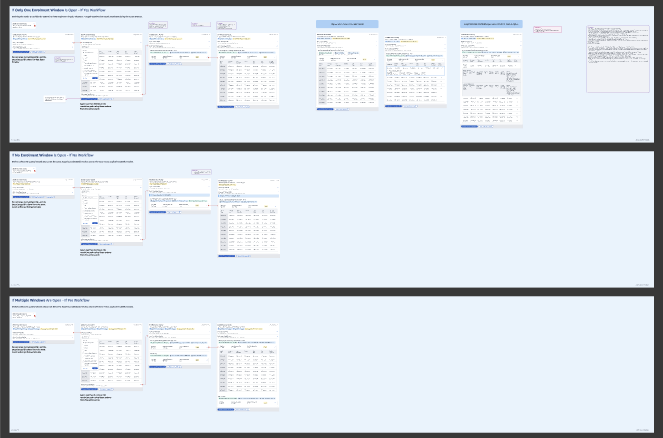
Getting to those clean flows meant mapping the admin resolution end to end for every case the rules could throw at it: one enrollment window open, several open at once, or none. I drew each path out in full before a single screen was polished.
The first pass at both ends makes the argument for me. On the employee side the stepper owns the page, four steps to walk through, and the AI is a small sparkle button tucked into the corner of the life changes banner. On the admin side it is a button in the top corner of the employee record, above the benefits table they were already working through. The same instinct twice: park the AI beside the work rather than build the work around it. Help that waits in a corner is help you have to remember to ask for.

Admin on the left, employee on the right. The phone is the live prototype, so you can click through the four steps. Same instinct at both ends: the AI sits next to the flow rather than running it.
Pressing it opened a panel over the record: the rule reference, the enrollment window, the changes the event allowed, and a box to ask in. An earlier version of that same panel had three tabs, Chat, Dashboard and Tools, which is three things to learn before you can ask one question. The tabs went. The plain-language question stayed.
The GenAI library both sides are built from
The real deliverable underneath the two experiences was a single GenAI component library for benefits, employee and admin. Each piece was defined once with all its states and rules: how sources attach to an answer, how the input handles limits, how the AI shows it's thinking, how it offers a next prompt. Define it here, and every surface, and any future benefits team, gets it for free.
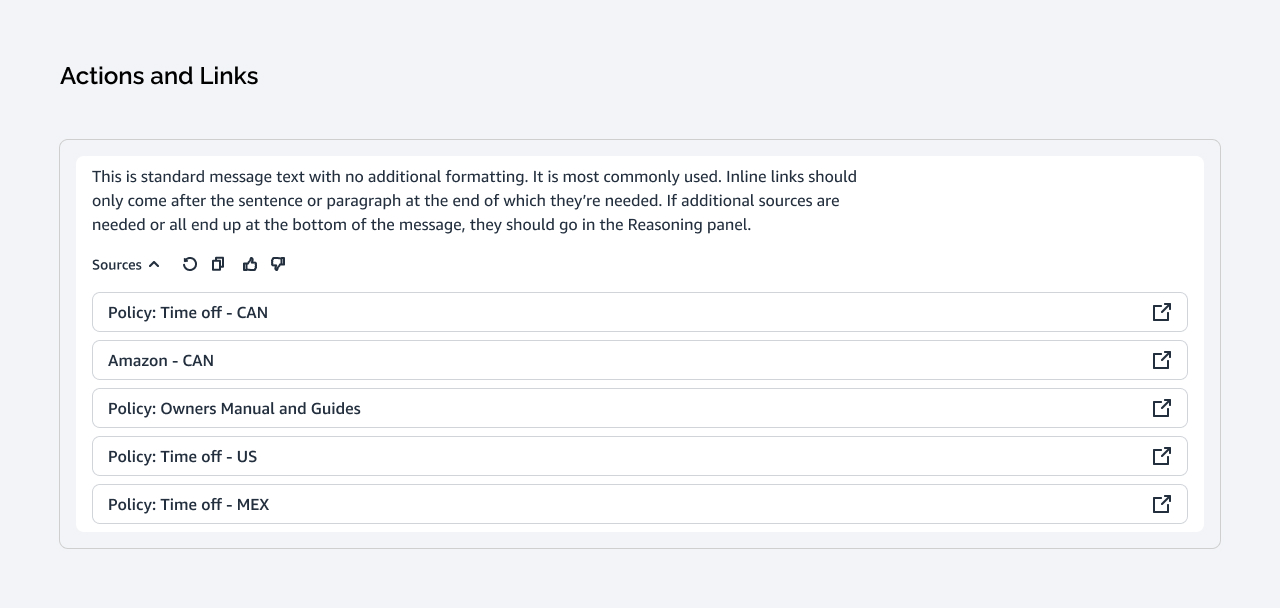
Every answer carries its sources and quick actions.
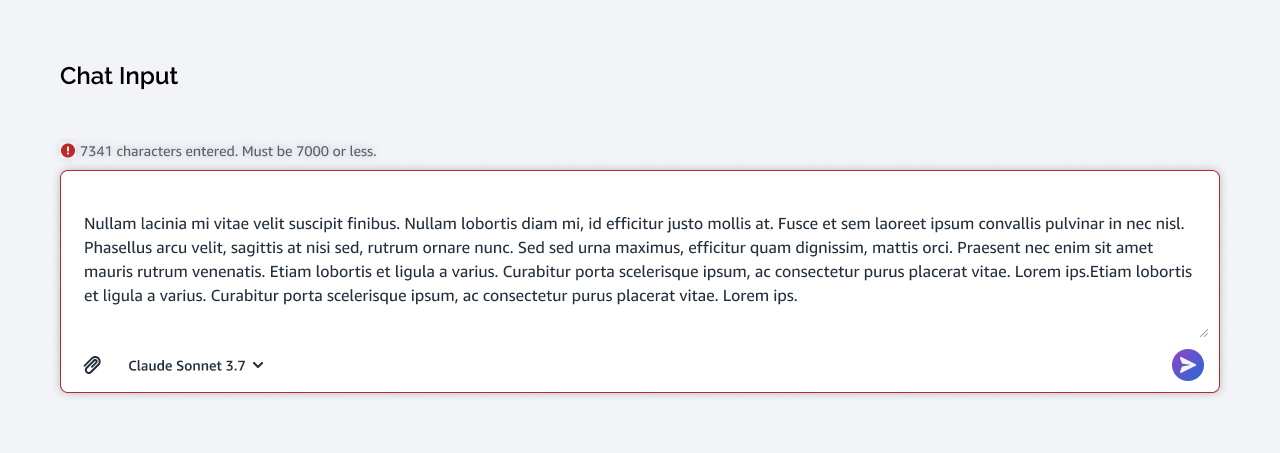
Character limits and error states, built in.
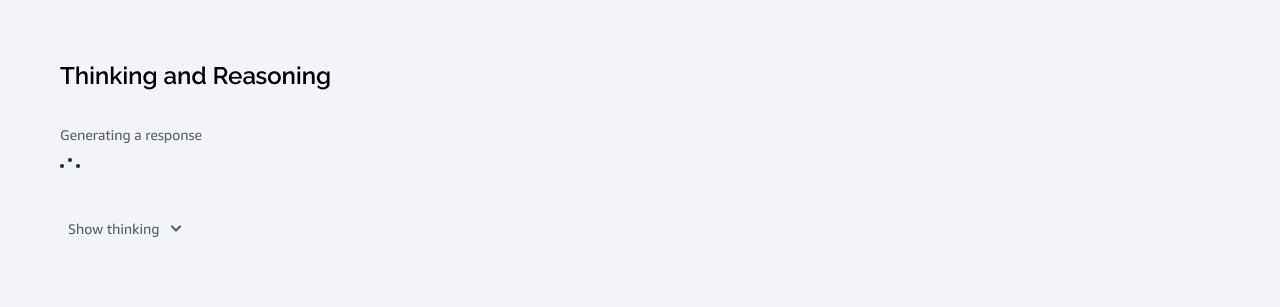
How the AI shows it's working, reasoning on demand.
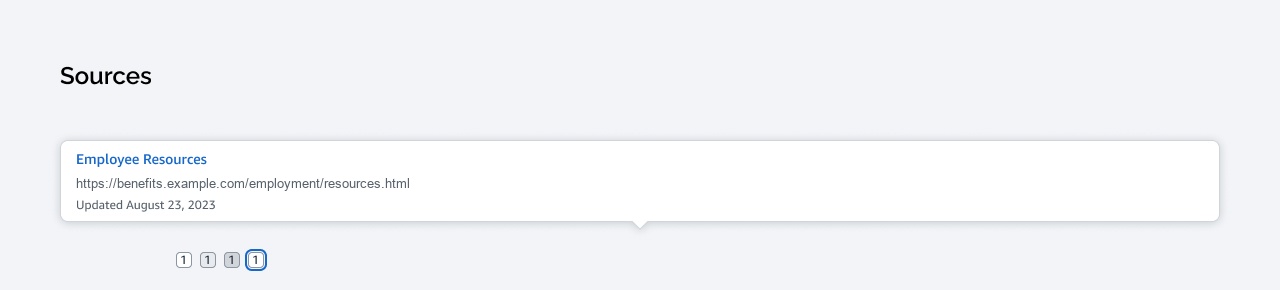
Numbered, dated, checkable citations.

A scannable strip of next questions.
Impact
The assistant became one of the first GenAI products adopted inside Amazon benefits, and it paid off on both sides of the same problem: employees stopped opening cases, admins stopped hunting for rules, and the support volume that used to absorb both simply shrank.
Faster resolution, for employees and admins alike
Cases that took one to two days started resolving in minutes. One assistant moved the number on both sides at once, which is what made the cost saving real rather than a shifted workload.
What people said in testing
The numbers matter, but the reactions from real employees and admins told me the trust was landing.
"This is so much easier than calling HR. I got my answer in about two minutes instead of waiting on hold for twenty."
Employee, usability testing
"I went from twenty minutes digging through spreadsheets to getting the answer in thirty seconds. It's a game-changer."
Benefits admin, usability testing
What I learned
Trust is built through clarity, not accuracy alone
The confidence indicator drew the strongest feedback. People didn't need the AI to be perfect; they needed to know when it was unsure, and to see the sources.
Design the library, not the screen
The leverage was never a single mockup. It was one component library both sides composed from, so a pattern defined once was inherited by every surface and by the next team.
A mandate is a brief, not an instruction
The easy move was to bolt a chat window onto the stepper I had already designed. Asking what the conversation was actually better at is what produced a pivot worth shipping instead of a chatbot for its own sake.
Design for the skeptic, not the believer
The admins who trusted AI least became the strongest advocates once they could verify every source and override any suggestion.
What I'd do differently
Bring Legal in at framing, not review. Their late constraints would have sharpened the citation patterns much earlier. Test the "I don't know" state as deliberately as the successful answers, because that is where trust is won, and we designed it last. Settle the confidence threshold with Data Science up front rather than screen by screen.
Design the failure states first. Settle the trust thresholds before drawing screens.